

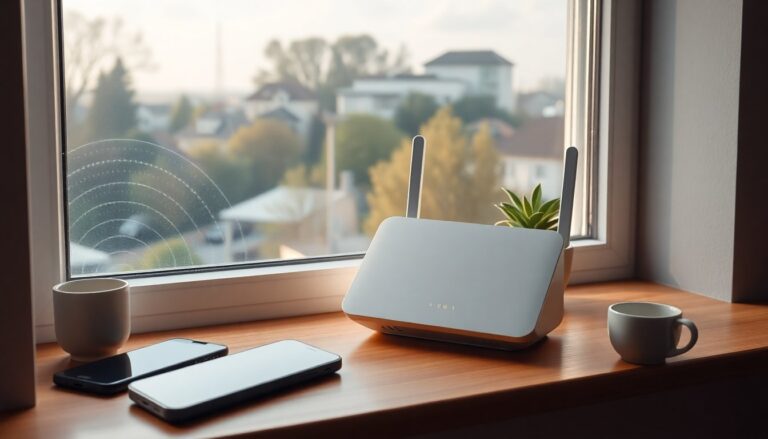
The convenience of using a smartphone as a hotspot is undeniable, but it quickly drains the battery and becomes impractical for long sessions. After running a speed test with an eSIM on Ho. Mobile near a window, you recorded around 440 Mbps — a healthy result that suggests a dedicated router could deliver similar
or better performance. The local radio source is roughly 800 meters away (Castel Sant’Elia Strada Vicinale La Massa) and, even if it is obscured by trees, the phone shows a robust signal. Network details such as N28, N78, 5G TDD sub-6GHz with AAU and passive FDD/DSS are useful when selecting hardware and positioning the unit.
You’re considering a small indoor 5G router placed on a sheltered balcony as a temporary measure until full FTTH
is available. This approach avoids committing to a rooftop antenna or a permanent cabling job upfront. A compact indoor CPE can be moved and tested in several spots to find the best compromise between signal strength and convenience. The three factors that matter most when evaluating models are band aggregation, the device chipset, and practical features like band lock and Wi‑Fi 6.
Picking the right 5G indoor router
Device choice should match the real-world signal and the operator behavior you experience. If your smartphone hit 440 Mbps, a good 5G CPE should reach comparable speeds, but that depends on antenna position and how the router balances upload and download streams. Look for routers that support multiple carrier aggregation bands and a mature modem chipset that handles sub-6GHz well. Also evaluate the number of Ethernet ports, support for external antennas, and the Wi‑Fi capabilities you need for home devices.
Key device comparisons
Three families commonly mentioned are the ZTE MC801A (HyperBox), Brovi/Huawei models like the H153 and H155, and the Zyxel FWA505. The ZTE MC801A is praised for plug‑and‑play ease and balanced real-world throughput. Brovi/Huawei units use the Balong 5000 chipset, which many users report delivers stronger upload performance on Vodafone networks compared with Qualcomm or MediaTek alternatives, though they tend to be pricier and less common. The Zyxel FWA505 (AX1800) is often highlighted as a cost-effective option with good overall value; used or warehouse deals can make it particularly attractive for temporary setups.
Placement, antenna trade-offs and practical costs
Positioning your router is one of the cheapest ways to improve throughput. A sheltered balcony or a spot by a large window can significantly reduce signal loss compared with an interior room. If you want a more consistent connection, an external antenna mounted on the roof usually reduces fluctuations and can boost upload speeds, but it brings installation costs and cable runs. For a temporary or low-frequency use case, the investment may not pay off. Test the indoor placement thoroughly before deciding to buy or install an antenna.
When an external antenna makes sense
An exterior antenna generally helps when the serving cell is weak or when obstacles like trees obstruct the line of sight; it can increase signal stability and throughput, especially for heavier cloud uploads. However, if the base station is not directly visible and trees block the path, the improvement might be limited. Consider the total cost, including mast, coaxial cables and installation labor, and compare that with the expected gains. If you plan to use the router often or move it to remote locations, an antenna could become worthwhile.
SIM choice, operator behavior and buying tips
Selecting the right SIM and plan affects sustained performance and data caps. Options include virtual operators such as Ho. Mobile, established carriers like Vodafone, or alternatives such as Fastweb. Some plans allow multiple SIMs or pooled data volumes, which can be handy for high monthly usage; advertised bundles sometimes reach several hundred gigabytes per SIM, but these promotions change often, so always check the fine print on throttling and fair use. For purchases, consider marketplaces like Amazon Warehouse for better prices and flexible returns if you need to experiment with different devices.
In short: for an affordable, temporary setup try a reliable midrange choice like the Zyxel FWA505 or the ZTE MC801A. If upload capacity is crucial and you operate mainly on Vodafone, a Brovi/Huawei device with the Balong 5000 may justify the higher cost. Always test placement first—move the unit around the balcony or near windows—and only invest in an external antenna and fixed installation when repeated tests show a clear benefit that matches the expense.